
Download Addrly
Professional address label printing software. Select the version that matches your operating system.
Windows
Key Features:
- Native Windows application
- Batch Printing Engine
- Full Windows 10/11 support
- USB and network printer support
- Professional label templates
macOS
Key Features:
- Native macOS application
- Batch Printing Engine
- Apple Silicon & Intel support
- USB and network printer support
- Professional label templates
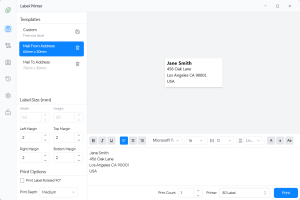
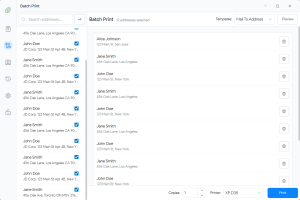
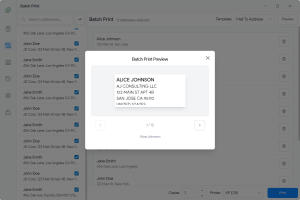
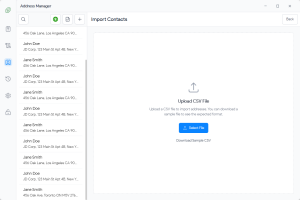
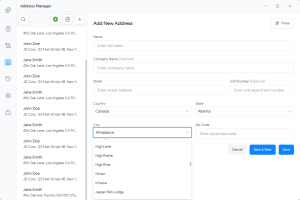
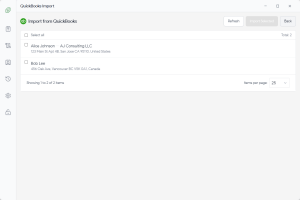
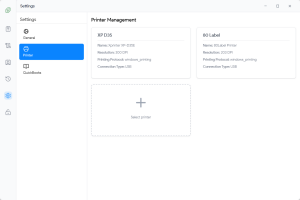
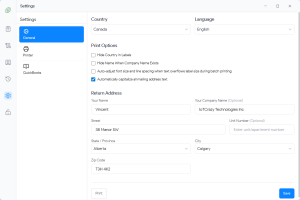
Preview the Interface
See what you'll get with Addrly's clean, modern design
Simple installation process
Get started in minutes with our straightforward installation process. No complex setup required.
Download
Choose your platform and download the installation package for your operating system.
Install
Run the installer and follow the simple setup wizard. The installation takes less than a minute.
Start Using
Launch the application, configure your printer settings, and start creating professional labels immediately.
Frequently asked questions
Common questions about downloading and installing Addrly.
Is Addrly really free?
Yes, we offer a 15-day free trial with full access to all features. After the trial period, you can choose to subscribe or continue with limited features. No hidden fees or limitations during your trial.
Which version should I download?
Download the version that matches your operating system. The Windows version is recommended for most users as it offers the best compatibility and performance.
Do I need to install any drivers?
The application includes all necessary drivers and supports standard printer protocols. Most label printers will work out of the box without additional driver installation.
Can I use it on multiple computers?
Yes, you can install and use Addrly on multiple computers at no additional cost. Each installation is completely independent.
How often are updates released?
We release updates regularly with new features, improvements, and bug fixes. The application will automatically check for updates, or you can check manually.
Ready to get started?
Download Addrly today and transform your address label workflow with professional, efficient tools.